Java - Welcome to Java
Discover basic Java Concepts, and build your first Java Program!
Java Environment
The Java Development Kit (JDK) contains the minimum software you need to do Java development, which includes
- javac
- java
- jar
- javadoc
- jlink
The JRE was a subset of the JDK that was used for running a program but could not compile one.
Integrated development environment (IDE)
Change default java version in mac system:
- list all java versions in your system:
/usr/libexec/java_home -V - change to above version:
export JAVA_HOME=`/usr/libexec/java_home -v <version no>`
Identify the benefit of Java:
- Object-Oriented (vs Functional Programming)
- Encapsulation (access modifiers)
- Platform Independent (interpreted language vs compiled language)
- Robust (automatic garbage collection, it prevents memory leaks)
- Simple (no pointers, no operator overloading)
- Secure (Java code runs inside the JVM)
- Multithreaded
- Backward Compatibility (make sure old programs will work with later versions of Java. Deprecation)
Understanding the Java Class Structure
An object is a runtime instance of a class in memory.
A reference is a variable that points to an object.
Members of the class: fields, methods
The method name and parameter types are called the method signature
CLASSES VS. FILES
A .java file could contain multiple classes declaration. If you do have a public class, it needs to match the filename. Each file can contain only one public class.
Writing a main() Method
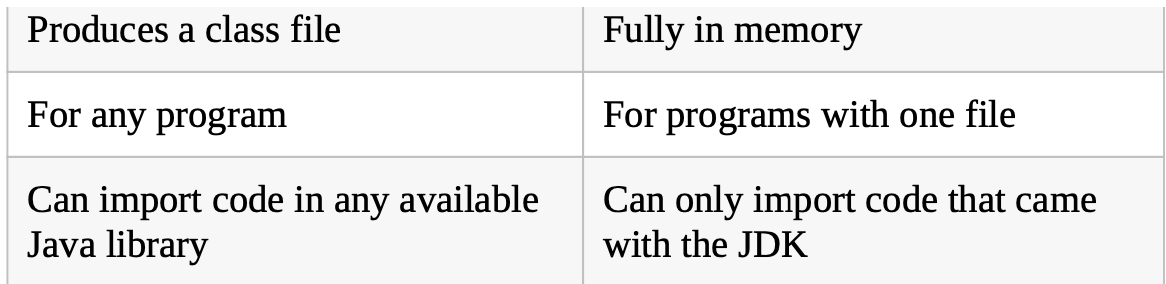
run a program in two ways: javac -> java, single file sources-code command

Understanding Package Declarations and Imports
Java puts classes in packages. These are logical groupings for classes.
The * is a wildcard that matches all classes in the package. It doesn’t import child packages, fields, or methods; it imports only classes.
static import can import other types.
Importing so many classes will not slow down your program execution, because the compiler figures out what’s actually needed.
The package java.lang is automatically imported.
Name Conflict
|
|
In real life, always name your packages to avoid naming conflicts and to allow others to reuse your code.
Compiling and running code with packages
Compile code:
javac packageA/classA.java packageb/classB.java
or
javac packageA/*.java packageb/*.java
Run classB:
java packageb/classB
Using an alternate directory
By default, the javac command places the compiled classes in the same directory as the source code.
The -d (not -D) option specifies a different target directory for these .class files.
|
|
Run classB:
|
|
Compiling with Jar files
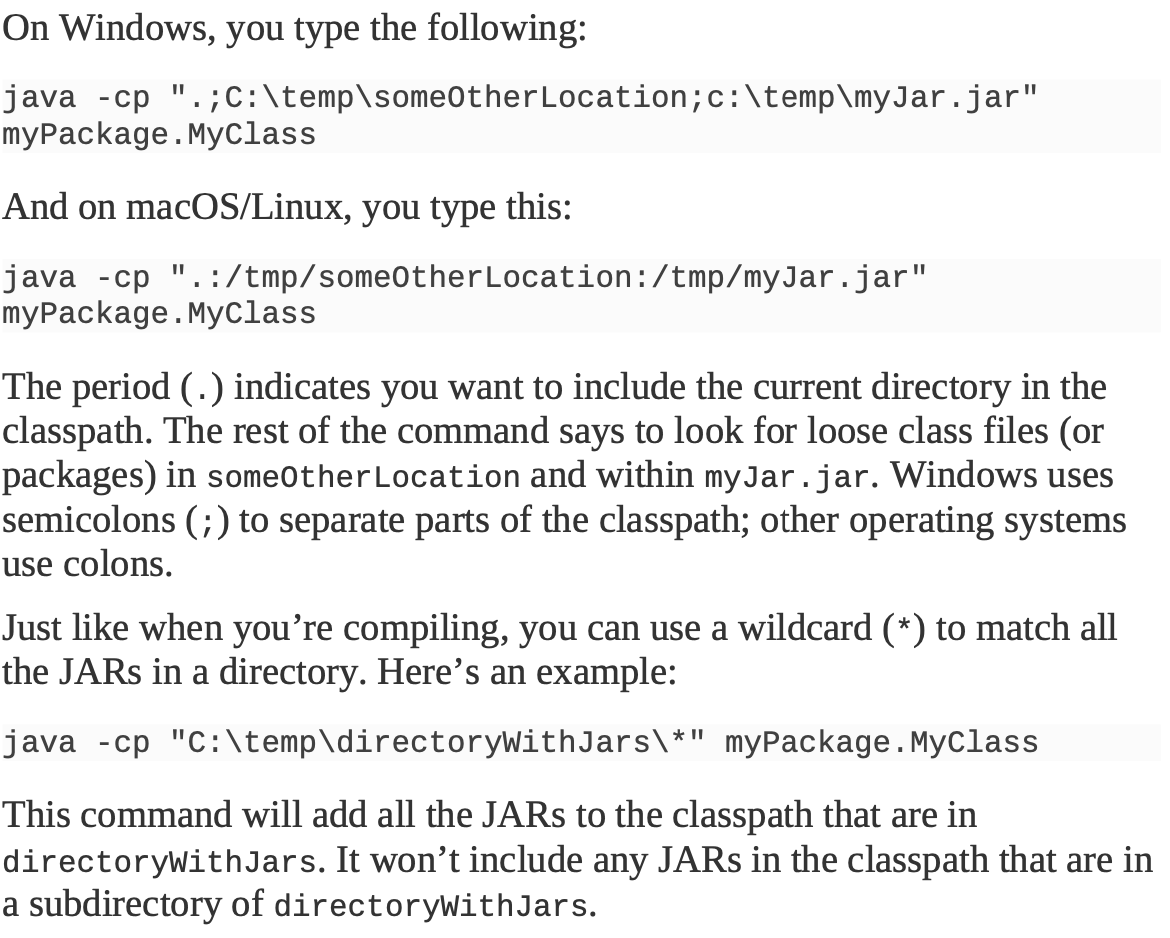
Todo: run program with jar file.
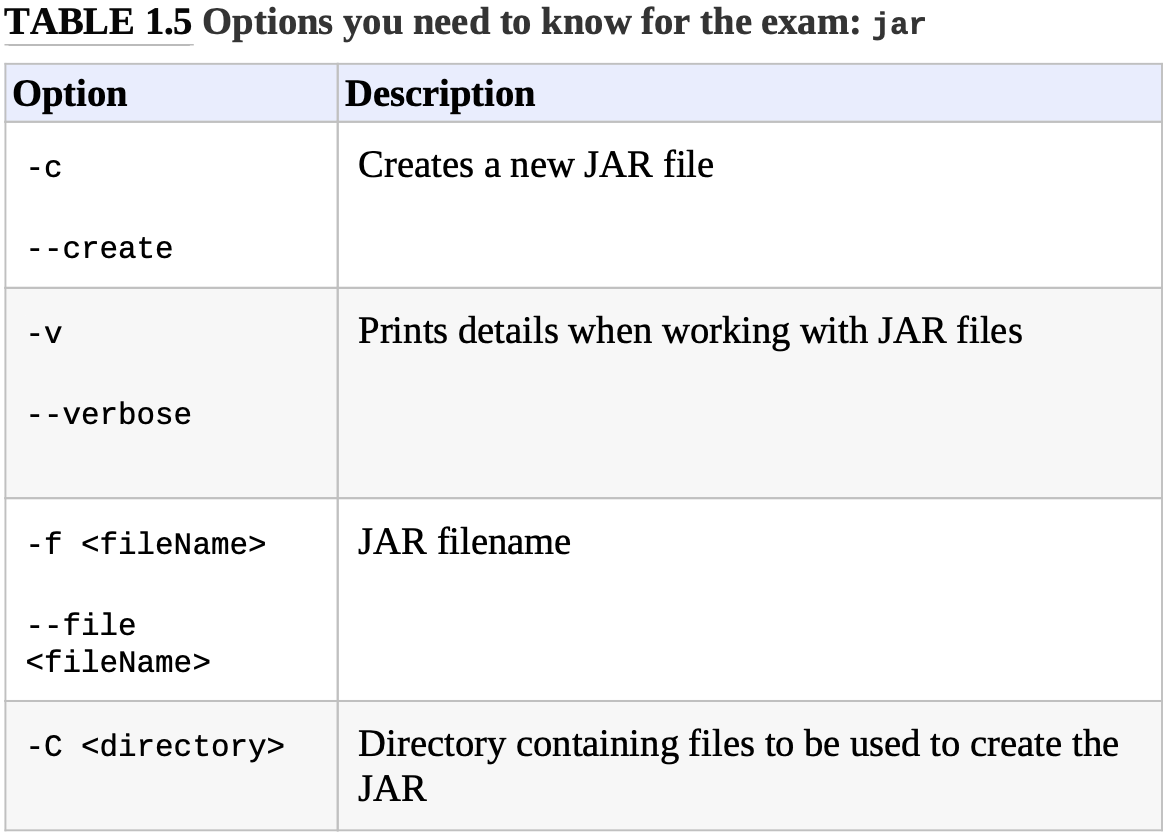
Creating a Jar file
Create a jar file containing files in current directory:
|
|
Alternatively, you can specify a directory instead of using the current directory.
|
|
Ordering Elements in a Class

